

Service Model
The Hypori service model describes the principal entities used in the configuration of the system. The same service model is utilized for Hypori Cloud, Named Cloud, or Private (Cloud or Data Center) deployments, though Hypori administers the configuration of many entities when providing Hypori Cloud or Names Cloud services.
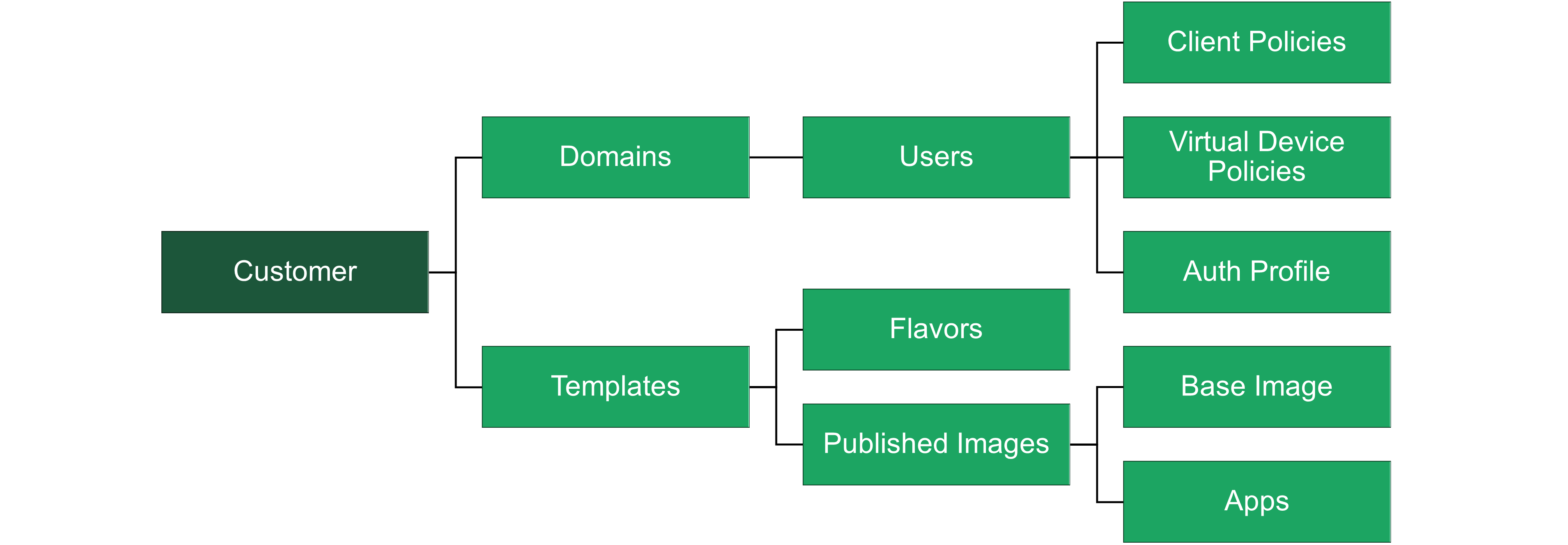
Configuration and Management Framework:
- Server Clusters - Manage the physical and virtual resources necessary to support the Hypori platform.
- Flavors - Specify the resource configurations for virtual workspaces like CPU and memory.
- Templates - Define the available apps, software, and settings of virtual workspaces, using flavors for resource allocation.
- Domains - Organizational units for managing groups of users and applying policies.
- Users - Individuals with access to the Hypori platform, managed within domains.
- Workspace - The virtual environment where users operate, configured according to templates.
Server Clusters
Server Clusters serve as the backbone of the Hypori infrastructure. These clusters comprise multiple server nodes that handle various tasks such as computing, storage, and network management. They are essential for maintaining the high availability, scalability, and efficient operation of virtual workspaces. Each cluster may include different types of nodes like compute nodes, which run the virtual workspaces, and storage nodes, which store persistent data. Server clusters are managed through the Hypori Admin Console, which allows administrators to monitor and configure the clusters, ensuring optimal performance and security.
Flavors
Flavors in Hypori define the computational resources allocated to virtual devices. Each flavor specifies configurations such as the amount of virtual CPUs, memory, and storage capacities. Flavors are crucial for the scalability and performance tuning the virtual environments created within Hypori. Administrators can create and manage these flavors through the admin console, tailoring the virtual resource allocation to meet specific needs or performance requirements for different templates or workspaces.
Templates
Templates in Hypori are pre-defined configurations that specify the operating environment for virtual workspaces. They include settings such as the operating system, installed apps, and associated flavors, defining resource allocation. Templates ensure uniformity and compliance across virtual devices, simplifying management and deployment. They can be customized to include security settings and other configuration details necessary for the organization's needs. Through templates, administrators can effectively manage and deploy standardized environments to users within the Hypori infrastructure.
Domains
Domains are organizational entities within Hypori that manage and enforce security and operational policies across groups of users. Domains allow for hierarchical management structures, enabling large organizations to control multiple sub-domains, each potentially representing different departments or security zones. Within each domain, administrators can set specific user roles, permissions, and access controls, which are crucial for maintaining the security and integrity of the data and applications.
Users
Users are the individual accounts within Hypori that can access virtual workspaces. Each user account is associated with a domain and inherits its security policies and configurations. User management is a critical aspect of the Hypori system as it involves provisioning access, resetting passwords, and configuring user-specific settings and restrictions. Efficient user management ensures that only authorized personnel can access sensitive resources and that user activities comply with organizational policies.
Workspace
Workspace is the virtualized environment where users interact with apps and data securely. Each workspace is created based on a template and allocated resources per the associated flavor. Workspaces are designed to be secure and isolated, ensuring data does not leak across sessions or users. They support various functionalities like multi-factor authentication and data encryption, which protect sensitive information against unauthorized access and threats.
Apps
Apps are the APKs available within end-user-accessed workspaces. Examples include Microsoft Office Suite, Google Workspace, DocuSign, Slack, etc. Apps can be the publicly available APKs available from Android Play, or custom apps. Custom apps must be certified by Hypori, a process that typically takes 5-10 days.